
Android is making a big shift from being just an operating system to becoming an intelligence system. Google’s Gemini Intelligence can understand your context, predict what you need, and complete tasks without you having to do everything manually.
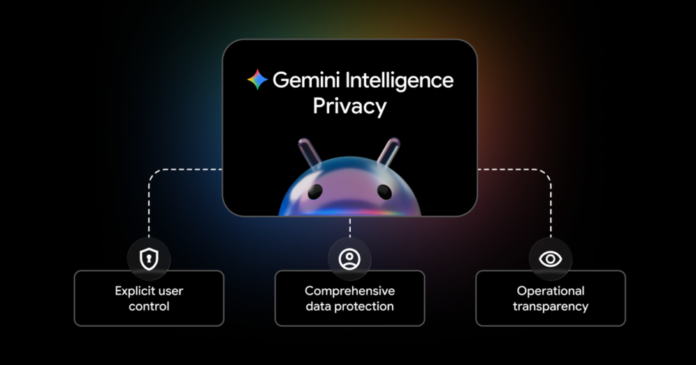
But this AI-powered future raises obvious privacy concerns. How do you let an AI assistant work on your behalf without compromising your personal data? Google outlined its approach through three core principles that should matter to anyone using AI-powered features on their phone.
You stay in control of what AI can access
The first principle is explicit user control. This means you get to decide exactly what Gemini can and can’t do on your device.
- Granular permissions: You can enable or disable entire AI features, or just turn off specific parts. For example, connecting Gemini to Android’s Autofill feature is completely opt-in.
- Security boundaries: Gemini only accesses apps you specifically allow. It needs your confirmation before making any purchases.
- Clear intent required: Whether you’re asking Gemini to automate something or it’s suggesting a proactive action, you control when your data gets shared.
This granular approach addresses one of the biggest concerns with AI assistants – the fear that they’ll access everything on your phone without clear boundaries.
Multiple layers of data protection
Google is applying its existing security infrastructure to protect data processed by Gemini Intelligence. This includes both information stored on your device and data that gets processed in the cloud.
The company uses technologies like Private Compute Core and Private AI Compute to protect sensitive data from proactive features like Magic Cue, which works in the background. Google also says it’s building new defenses against threats like prompt injection attacks, where malicious actors try to manipulate AI systems.
For context, prompt injection is when someone tries to trick an AI into ignoring its instructions or accessing information it shouldn’t. As AI assistants become more capable, these attacks become more concerning.
Transparency through real-time monitoring
The third principle focuses on showing users exactly what the AI is doing. This transparency happens in several ways:
- Live progress tracking: When Gemini automates an app, you can watch its actions in real-time
- Persistent notifications: A notification chip stays visible when Gemini is working, even if you navigate away
- Activity history: Android’s Privacy Dashboard will soon show which AI assistants were active and what apps they used
- Open-source components: Key parts of the security architecture are open-source and audited by third parties
Why this matters for the AI industry
Google’s approach here isn’t just about Android. The company is positioning these security and privacy practices as potential industry standards for all AI assistants. This matters because AI assistants are becoming more capable of taking actions on your behalf, not just answering questions.
The shift from responsive AI (answering when asked) to agentic AI (proactively helping and completing tasks) represents a significant change in how we interact with our devices. Getting the privacy and security framework right early could influence how other companies build similar features.
Google says it’s working with developers and device manufacturers to adopt these practices across the Android ecosystem. This collaborative approach suggests the company recognizes that AI assistant security can’t be solved by one company alone.