
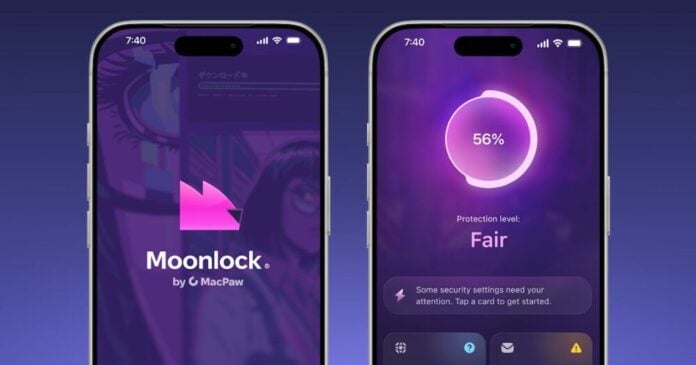
Handing a security app your most suspicious messages is a funny way to protect your privacy. That’s the trade MacPaw is asking iPhone users to make with Moonlock, which the company launched today on iOS. It’s the first time the company’s consumer security tools have reached mobile.
The headline feature is Scam Detect. According to MacPaw, it checks suspicious messages and their contents for signs of phishing. That includes screenshots, links, and QR codes. The pitch is simple: you get a weird text, you feed it to the app, and it tells you whether to worry.
The idea is sensible. Phishing is the most common way people get compromised, and it has moved well beyond bad email. Smishing, fake delivery notices, and QR code scams (so-called quishing) land directly on phones, where small screens and hurried taps make people easy targets. Apple’s built-in protections are limited here, so third-party tools fill a real gap.
But the details matter, and the announcement leaves most of them out. A screenshot of a scam message can contain far more than the scam. It might show your name, phone number, contacts, a bank’s partial account details, or other threads in the background. A QR code or link might carry tracking tokens tied to you. So where does the analysis happen? On the device, or on MacPaw’s servers? Is the content stored, for how long, and is it used to train detection models? Those aren’t paranoid questions. They decide whether this is a privacy tool or another data pipe.
iOS also limits what any app can do. Apps are sandboxed and can’t read your messages on their own, so Moonlock almost certainly depends on you manually submitting content. That’s better for privacy than blanket access, but it also means protection only works if you remember to use it. A scam that fools you into tapping never reaches the scanner.
There’s a bigger trend here. Security vendors are moving into AI-assisted scam detection, and the same pattern keeps appearing: useful feature, vague data handling. Google and Samsung have pushed on-device scam detection, partly to avoid exactly this problem. Cloud-based analysis can be more powerful, but it asks for more trust.
MacPaw is a known developer with a long Mac history, which counts for something. It doesn’t replace a clear policy. Before installing, read the privacy disclosures in the App Store listing, check what the app says it collects, and look for any statement on retention and third-party sharing. If those answers are fuzzy, treat Scam Detect like any other upload to a stranger.
For now, the safest advice is the boring kind. Don’t tap unknown links, verify requests through official channels, and be careful what you screenshot. A scam checker is only as trustworthy as its data practices.