
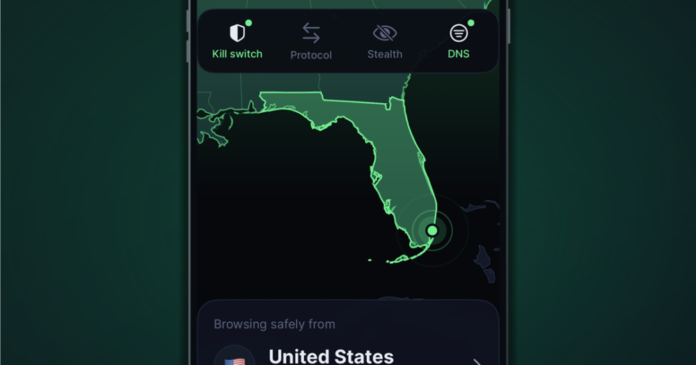
Obfuscation has been missing from iOS VPN apps for years, and TorGuard is finally fixing that gap on its own app. The company announced VPN 3.0 for iPhone and iPad, a ground-up rebuild now in a public TestFlight beta. It is open to existing customers only.
The headline feature is stealth. If you have ever tried to use a VPN on a hotel network, a campus connection or behind a national firewall, you know plain OpenVPN traffic is easy to spot and easy to block. That matters most for people who need a VPN for more than streaming.
Five ways to hide VPN traffic
TorGuard says the app now runs on the same connection engine as its Android VPN 2.0 release. That brings its OpenVPN stealth options to iOS for the first time:
- Scramble (XOR): obfuscates OpenVPN packets on port 4443, aimed at networks with basic VPN blocking.
- Stunnel (TLS): wraps OpenVPN in TLS so it looks like ordinary HTTPS.
- WebSocket (wss): carries OpenVPN over secure WebSockets, for networks with web proxies or corporate filters.
- Stealth Proxy: routes traffic through a Shadowsocks proxy before it enters the tunnel.
- OpenConnect: an AnyConnect-compatible connection over TLS on port 22, for firewalls that block standard VPN ports.
You switch these on from the home screen or under Settings, then Stealth. If one fails, you try another. That is honest, but it also tells you none of them is guaranteed. Scramble in particular is simple XOR obfuscation, which is fine against lazy filters and weak against determined deep packet inspection. Treat it accordingly.
Protocols and kill switch
WireGuard is the default and the fastest option, with a changeable port. OpenVPN supports UDP and TCP and powers the stealth modes. IKEv2 and Cisco IPSec run through the built-in iOS VPN client, which means TorGuard is not controlling that connection logic.
The kill switch now has three settings: Protect connection, Always on, or Off. The app also adds IPv6 leak blocking and an option to block local network access. Those are the right knobs. But iOS has a history of VPN leaks around system traffic, and TorGuard does not say how its kill switch handles that. Independent testing will tell us more than a changelog.
DNS, auto-connect and other changes
You can use TorGuard DNS, an ad-blocking DNS, or your own servers. Custom DNS is a good privacy option, since it lets you avoid trusting the VPN provider with resolution. Auto-connect can run all the time or only on untrusted Wi-Fi, with a trusted network list and a pause on mobile data. Dedicated IPs now sync from your account for WireGuard, OpenVPN and OpenConnect.
There is also an interactive server map with favorites and latency sorting, plus a one-tap diagnostic log sent to support. That last one deserves a read of what the log contains before you send it. The home screen widget and Siri Shortcuts return, rebuilt for the new app.
Joining the beta
Install Apple’s TestFlight app, open the TorGuard 3.0 invitation, then accept and install. Sign in with your existing account. If the old app is installed, the beta installs over it and keeps your protocol and ad-blocking settings. Sign-up and in-app purchases are disabled, though you can still create an account on the website. Pricing for the final release was not mentioned, and no release date was given.
An Apple TV app built on the same engine is in internal testing, with a public TestFlight link promised later.
Why it matters
Stealth on iOS is a real gain for users in censored or heavily filtered places. Still, beta software handling your traffic deserves caution, and TorGuard has not published an audit of the new app. Until it does, assume the claims are unverified.